Have you ever wondered why your digital living room feels a bit empty or cold despite having the best furniture assets available? The answer usually lies right under your feet because floor textures define the entire mood of a space in the virtual world. Roblox carpet decals are the secret weapon for any serious builder looking to move beyond the basic material patterns found in the standard engine. This guide provides a comprehensive look at how to find and apply high quality rug IDs to your projects. We will explore the trending aesthetic styles like boho and minimalist that are currently taking over popular roleplay games like Bloxburg and MeepCity. You will learn the technical side of asset IDs and the creative side of interior design in one complete resource. Whether you are a beginner or a pro this is the ultimate roadmap to better flooring.
How do I find a Roblox carpet decal ID?
To find a decal ID you must visit the Roblox Marketplace and select the Images category for your search. Type in keywords like rug or carpet to find designs. Click on an image to view its details page and copy the numbers located in the URL bar. This numeric code is the unique ID for that specific asset.Why is my Roblox carpet decal blurry?
Decals often appear blurry because the image resolution is too low or the part is scaled too large. Roblox caps image assets at 1024x1024 pixels during the upload process. To fix this try using a Texture object instead of a Decal to tile the image across the surface. This maintains the original crispness of the pattern regardless of size.Can I use carpet decals in Bloxburg?
Yes you can use custom carpet decals in Bloxburg by using the painting or floor decal items available in build mode. Place the item on your floor and then click it to change the image ID. Enter the numeric code you found on the marketplace to apply the new texture. It is a popular way to customize luxury homes.How do I fix decal flickering on the floor?
Flickering is caused by z-fighting which occurs when two surfaces occupy the exact same physical space in the game. To resolve this simply select your rug part and move it upwards by a tiny amount like 0.01 studs. This creates a microscopic gap that prevents the textures from overlapping. Your visual output will be clean and stable after this fix.Are Roblox carpet decals free?
Most carpet decals found in the public marketplace are completely free to use for all players and developers. You do not need to spend any Robux to apply these IDs to your parts or in-game items. Simply copy the ID and use it in your project. Some creators appreciate a like on their asset page as a form of credit.Most Asked Questions about Roblox Carpet Decal
Using a roblox carpet decal is the best way to add personality and detail to any virtual room. I often tell my friends that the floor is the largest canvas in your house so you should not leave it blank. By using custom IDs you can transform a boring room into a cozy retreat with just a few clicks. It is all about finding the right patterns that match your furniture and your overall aesthetic goals for the build. Whether you want a fluffy white rug or a vintage oriental pattern the marketplace has millions of options to choose from today. Just remember to use the tiny height adjustment trick to keep your floors looking smooth and professional. You have got the skills to make something amazing and I cannot wait to see what you build next. Happy building and enjoy the process of decorating your unique space!
Have you ever walked into a stunning mansion in Bloxburg and wondered why the floor looks so much better than yours? Most players rely on the basic wood or tile materials because they do not know how to use decals. A roblox carpet decal is a 2D image asset that builders apply to parts to create realistic rug patterns. These decals allow for intricate designs like oriental patterns or fluffy textures that the standard materials simply cannot provide. Why is everyone using these specific assets right now in the building community? Builders use them to create a sense of home and warmth that generic gray concrete just cannot achieve. You can find these decals in the official Roblox Marketplace under the images tab by searching for specific keywords. Most professional builders use these assets when they want to create a specific aesthetic like cottagecore or modern industrial. Who is responsible for creating these beautiful designs that we all love to use in our private builds? Talented digital artists upload these textures to the site so other players can use them for their own unique projects. How do you actually get these images onto your floor without causing a glitchy mess in your game world? You simply copy the numeric ID from the URL and paste it into the texture property of your part.Getting Started With Carpet Decals
I remember when I first tried to decorate my house and everything looked like a flat plastic box. It was so frustrating because I wanted that cozy vibe but the game felt very stiff and very lifeless. Then I discovered the magic of custom rug IDs and it completely changed how I approach every single build. You need to start by finding a part and resizing it to be very thin like a real carpet. This part will act as the canvas for your decal so make sure it is placed slightly above the floor. If you place it exactly on the floor you might experience a flickering effect known as z fighting in games. To fix this just lift the rug part by about 0.001 studs to keep the visual output very clean. Now you can head over to the marketplace and look for keywords like aesthetic rug or cozy carpet textures. Once you find one you like look at the address bar of your browser for a long string of numbers. Copy those numbers because that is the unique asset ID you will need to paste into the decal property.The Secret To High Resolution Textures
One of the biggest complaints I hear from new builders is that their decals look very blurry or very pixelated. This happens because Roblox compresses images to fit within their specific 1024 by 1024 resolution limit for game assets. To avoid this you should always look for decals that were created with high contrast and very sharp edges originally. I usually prefer using textures that have a slight shadow baked into the image to give it more depth. This trick makes the rug look like it actually has physical height even though it is just a flat image. You can also experiment with the transparency setting to blend the rug more naturally with the floor material underneath. A transparency of 0.1 can often make a bright white rug look much more realistic in a dark room.Advanced Building Techniques
If you want to take your skills to the next level you should try layering multiple decals on one part. You can put a base color on the part and then apply a transparent decal with a pattern on top. This allows you to change the color of the rug without needing to find a brand new asset ID. Many pro builders use this method to keep their color palettes consistent throughout a very large and complex build. Have you ever tried to make a circular rug using square decals and felt like it was totally impossible? You can actually use a cylinder part and apply the decal to the top face to get a perfect circle. This is a great way to add visual variety to a room that has too many sharp rectangular edges.Beginner / Core Concepts
1. **Q:** How do I find the ID for a carpet decal I like? **A:** I totally understand how the marketplace can feel like a maze when you are just starting your journey. To find an ID you need to go to the Roblox website and click on the Create or Marketplace tab. Select the Images category and type in terms like aesthetic carpet or modern rug to see the latest options. When you click on an image you like look at the URL in your browser bar for the numbers. These numbers are the specific asset ID that the game engine uses to identify that unique piece of art. Copy only those numbers and ignore the rest of the text in the URL to ensure it works. You have totally got this and it gets much easier after you do it once or twice! 2. **Q:** Why does my decal look like it is flickering when I place it? **A:** Oh man I used to deal with this all the time and it is actually called z fighting. This happens because the game engine does not know which surface to show when two parts are touching. If your rug part and the floor part are at the exact same height the pixels will fight. To fix this just move your rug part up by a tiny fraction like 0.01 studs in the properties. This small gap is invisible to the player but it tells the engine to show the rug first. It is a quick fix that makes your builds look professional and polished every single time. Try this today and you will see an immediate improvement in your visual quality! 3. **Q:** Can I use these decals in games like Bloxburg or just in Studio? **A:** This is a great question because many players want to spruce up their roleplay houses without learning code. You can absolutely use these IDs in games that have a custom image or decal feature built in. In Bloxburg for example you can place a painting or a rug item and change the ID code. Simply click on the object and look for the option to change the texture or the image ID. Paste your numeric code there and the game will fetch the image from the servers for you. It is a fantastic way to personalize your space and show off your unique style to friends. 4. **Q:** Are these carpet decals free to use for everyone? **A:** Yes almost all decals uploaded to the public marketplace are free for you to use in your creations. Creators upload them so the community can enjoy more variety and better building tools for their creative projects. You do not need to spend any Robux to use a decal ID that someone else has shared. Some creators might ask for credit in your game description if you use their specific custom art assets. It is always a nice gesture to leave a like on the asset page if you find it helpful. Building a supportive community starts with small actions like that and it helps other builders find good stuff.Intermediate / Practical & Production
1. **Q:** How do I make my rug look fluffy instead of flat? **A:** This is where things get really fun because you can play with visual tricks to fool the eye. I suggest looking for decals that have a drop shadow or a thick texture baked into the image. These are often labeled as 3D rugs or fluffy textures in the marketplace even though they are flat. Another tip is to layer a very thin part with a grass material under a transparent decal pattern. The grass material provides a bit of jagged texture that pokes through the decal to simulate real carpet. It takes a bit of practice to get the alignment right but the result is honestly quite stunning. Give this a try on your next bedroom build and let me know how it looks! 2. **Q:** What is the best resolution for uploading my own custom carpet designs? **A:** I get why this confuses people because we want our builds to look as sharp as possible always. Roblox currently scales all uploaded images to a maximum size of 1024 by 1024 pixels for game performance. If you upload a massive 4K image the engine will shrink it and it might look very blurry. I recommend creating your designs at exactly 1024 by 1024 pixels to ensure you control the final look. Using a square aspect ratio is vital because it prevents the image from stretching when applied to parts. This keeps your patterns looking clean and professional without any weird distortions or artifacts in the game. 3. **Q:** How can I change the color of a decal without re-uploading it? **A:** This used to trip me up too until I learned about the tinting properties in the editor. If your decal has a white or light gray base you can change the Color3 property of the part. The color of the part will bleed through the decal and tint it to whatever shade you desire. This is perfect for matching a specific rug pattern to the rest of your furniture and wall colors. It saves you so much time because you do not have to search for ten different colored rugs. Just find one good pattern and use the color picker to make it fit your room perfectly. 4. **Q:** My decal is sideways how do I rotate it correctly? **A:** Rotating decals can be a bit tricky because they are tied to the orientation of the part faces. If the rug is facing the wrong way you can try rotating the part itself in the editor. If you are in a game like Bloxburg you might need to use the transform tool to flip it. Sometimes the creator uploads the image in a specific orientation that might not fit your specific floor layout. In those cases you might need to find a different ID or use a square part for easier rotation. Do not let it frustrate you because every builder has to wiggle things around to get them right. 5. **Q:** Why do some decals take a long time to load in my game? **A:** This is a common issue especially when you have a lot of custom assets in one small area. Every time a new player joins the game their client has to download every single decal ID used. If you have fifty different rugs it can cause some lag or temporary gray boxes for new visitors. I try to reuse the same few decal IDs throughout a build to keep the loading times very fast. This is a great way to keep your game optimized while still maintaining a high level of detail. Your players will appreciate the smooth performance and the beautiful surroundings you have created for them! 6. **Q:** Is there a way to make decals glow or react to lighting? **A:** I love this question because lighting is what really brings a build to life in the end. While you cannot make a standard decal glow you can place a surface light on the same part. The light will illuminate the decal and make the colors pop even in a very dark or moody room. You can also change the light color to match the rug for a more immersive and atmospheric effect. This is a pro tip for creating futuristic or neon themed rooms that really stand out from the crowd. You have got this and experimenting with lights is the best way to learn!Advanced / Research & Frontier
1. **Q:** How do I script a system that lets players change their rugs? **A:** This is a great step up for aspiring developers who want to add more interactivity to their games. You can create a simple GUI that lists different asset IDs and a button to apply them. When the button is clicked you use a script to change the Texture property of the carpet part. This requires a basic understanding of remote events to ensure the change happens for every player in the server. It adds a huge amount of value to housing games because players love having control over their space. I remember how proud I felt when I scripted my first working furniture customizer for a project. You can definitely achieve this with a bit of patience and some basic Lua coding knowledge! 2. **Q:** Can I use normal maps with decals to create a real 3D texture? **A:** Normal maps are a bit different because they require the SurfaceAppearance object instead of a basic decal object. This is a more advanced way to handle textures that allows for realistic bumps and light reflections. You need to provide a color map and a normal map and a roughness map to make it work. This is how high end Roblox games achieve that realistic look that almost looks like a modern console game. It is a bit more work to set up but the visual fidelity is worth the extra effort. If you are serious about game design learning SurfaceAppearance is the way to move forward today! 3. **Q:** How do I handle decal moderation for my custom uploads? **A:** I get why this is a concern because the moderation system can be very strict sometimes. Always make sure your designs do not contain any text or personal information that might trigger a ban. Avoid using copyrighted logos or images that you do not have the permission to use in your game. It is best to stick to abstract patterns or hand drawn designs to stay on the safe side. If your asset gets rejected do not panic just try to see what might have caused the issue. Most of the time it is a simple mistake that can be fixed with a quick edit. 4. **Q:** How can I tile a small decal over a very large floor area? **A:** Tiling is essential for massive builds like hotel lobbies or large shopping malls in your game. Instead of using a Decal object you should use a Texture object which has a StudsPerTile property. This allows you to set how many times the image repeats over a specific distance on the part. It prevents the image from stretching and looking blurry over a very large surface area in your world. You can adjust the scaling until the pattern looks just right for the size of your room. This is the professional way to handle flooring for big projects and it looks much better! 5. **Q:** What is the future of decals with the new PBR material updates? **A:** Roblox is constantly evolving and the new material service is a huge game changer for all builders. We are moving toward a world where every surface can have complex physical properties like shine and grit. Decals will likely remain a staple for specific patterns but PBR materials will take over for base floors. You should start learning how to create custom materials using the Material Manager tool in the Studio. This will keep your skills relevant as the platform moves toward more realistic and higher quality graphics. Stay curious and keep learning because the possibilities in this engine are truly endless for creators!Quick Human-Friendly Cheat-Sheet for This Topic
- Lift your rug part by 0.01 studs to stop that annoying flickering effect forever. - Use the search term aesthetic rug in the marketplace to find the best looking IDs. - Paste the numeric ID into the Texture property for better tiling options than a standard decal. - Change the part color to tint your white rugs and match your room theme perfectly. - Group your rug part with your floor so you do not accidentally move it later. - Check the creator of the decal to find more matching assets in their public inventory. - Keep your designs simple to ensure they load quickly for players on slower devices.High quality asset IDs and aesthetic rug trends and custom texture application and building hacks and marketplace navigation and resolution optimization
35


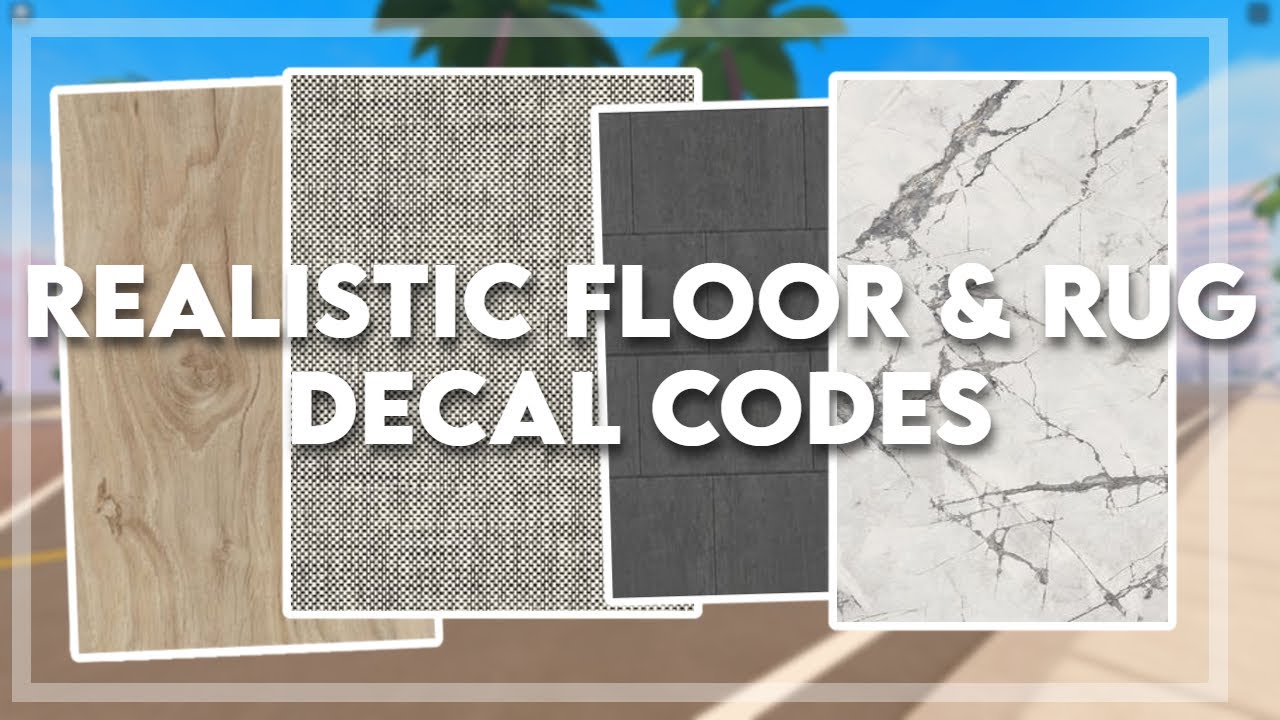

Roblox Decal Codes Artofit . Roblox Decal Codes Bloxburg Decals Tapestry . 31 Roblox Decals Ideas In 2025 Bloxburg Decals Codes House . Realistic Rug Flooring Decal Codes For Bloxburg Berry Avenue . Roblox Decal Pattern Decal Floor Decal House Decals




Roblox Area Rug Decal Berry Avenue Decal Codes For Rugs Barry . Bloxburg Rugs Decals Bloxburg Decal IDs Roblox Decals . Magic Rainbow Carpet Roblox NoFilter. Bloxburg Rugs Codes Decals Berry Avenue Decal Codes Pink Rug Roblox . Roblox Floor Decal Codes


Discover 120 Bloxburg Rug Decals And Bloxburg Decals Codes Wallpaper . Couple Decal Pic Code Roblox Image Ids Coding Free Word Template . Unlocking Creativity What Are Roblox Texture Decals . Bloxburg Fall Rug Decal Code Modern Decals Pattern Decal Bloxburg . Roblox Bloxburg Decals Carpet HOW TO MAKE CUSTOM RUGS IN BLOXBURG


Roblox Floor Decal Codes . Pin By Shamya On Quick Saves In 2026 Pattern Decal Bloxburg Decals . Roblox Decal Codes Artofit . 620 Roblox Ideas In 2025 Roblox Bloxburg Decal Codes Roblox Codes . Realistic Rug Decals Preppy Decal House Decals Bloxburg Decal Codes


Grandma S Home Roblox Decal Rugs Bloxburg . Roblox Floor Decal Codes . Roblox Decals Purple At Scott Pratt Blog . Vintage Carpet Decal Coding Bloxburg Decal Codes Preppy Decal . Rug Aesthetic Roblox Decal Fotografi


Roblox Floor Decal Codes . Roblox Floor Decal Codes . Roblox Bloxburg Tile Decals Floor Decal Bloxburg Bloxburg Bathroom . D Em 2024 Tapetes Casa Dos Sonhos Decora O . 2026 58 Roblox Art


Bloxburg Decals Autumn Fall Rug Carpets Dark Academia . Roblox Floor Decal Codes . Roblox Texture Decal Codes Pink Codes For Berry Ave Barry Avenue Rug . Artofit . How To Do Floor Decals WITHOUT Transform Plus Bloxburg Hacks Roblox