Unlocking the expansive world of Roblox on your Xbox One console is simpler than you might think, offering a fantastic escape for busy gamers balancing life, work, and family. This comprehensive guide will walk you through everything you need to know, from the initial download and setup to optimizing performance, connecting with friends, and discovering the best free games available this month. In 2026, gaming remains a vital way to unwind, socialize, and build skills, with 87% of US gamers regularly dedicating 10+ hours a week to their passion. Roblox's accessible, cross-platform nature makes it an ideal choice, fitting perfectly into limited free time. We'll tackle common pain points like installation hurdles, performance tweaks, smart in-game purchases, and parental controls, ensuring you get the most value and enjoyment out of your Xbox One Roblox experience without the hype. Whether you're new to the platform or a seasoned player looking for console-specific tips, this article provides practical, actionable advice to enhance your gameplay and keep you current with trending virtual worlds.
QHow do I install Roblox on my Xbox One?
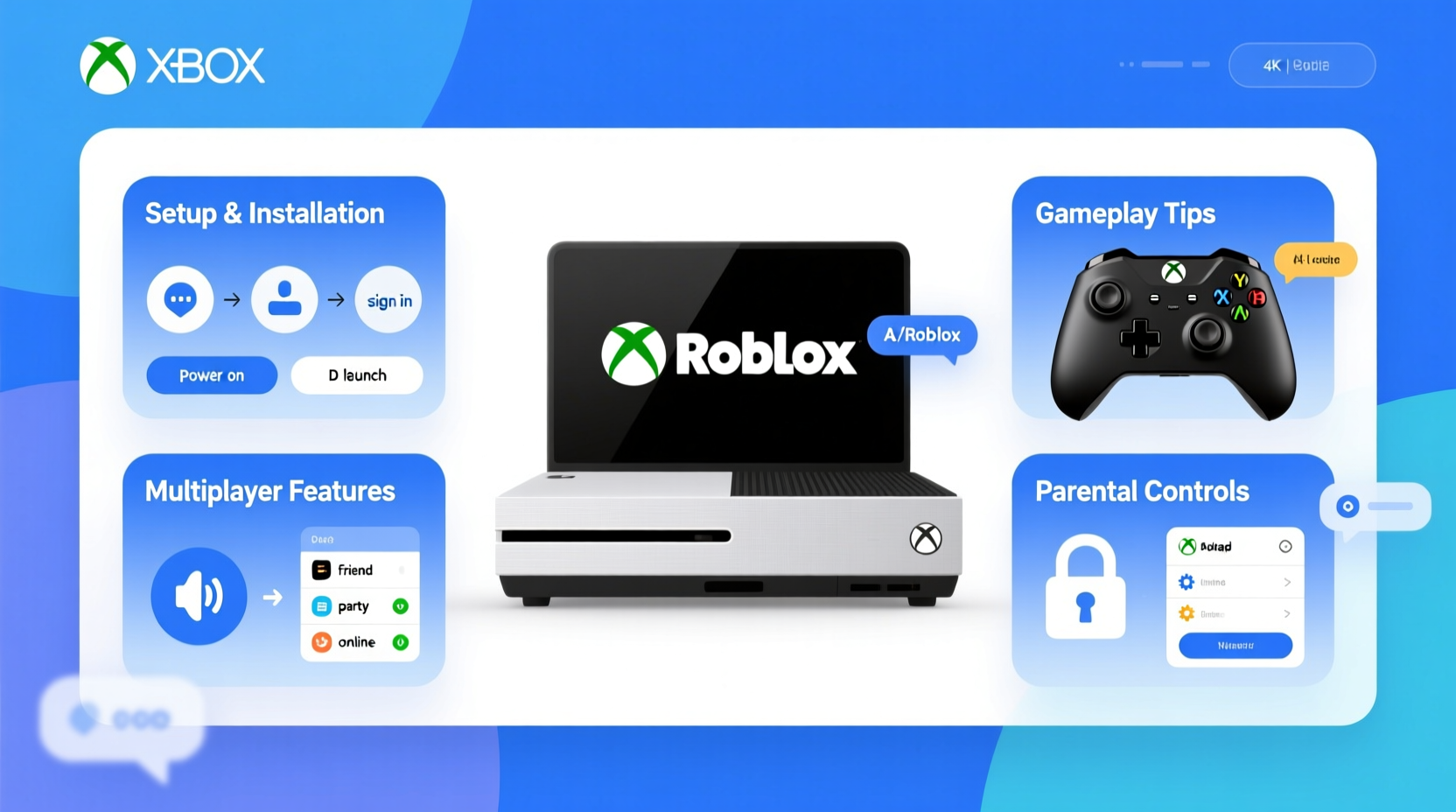
Installing Roblox on your Xbox One is straightforward. Simply navigate to the Microsoft Store on your console, search for "Roblox," select the game, and choose "Install." Make sure you have enough storage space. Once installed, launch the game and sign in with your existing Roblox account or create a new one to begin playing millions of user-created experiences.
QCan I play Roblox for free on Xbox One?
Yes, Roblox is a free-to-play game on Xbox One. You can download the application from the Microsoft Store without any cost and access a vast library of user-generated games. While the core experience is free, many individual games offer in-game purchases for Robux, which can buy cosmetics, game passes, and special abilities. These purchases are optional and not required to enjoy the platform.
QIs cross-play available for Roblox on Xbox One?
Absolutely! Roblox supports cross-platform play, meaning you can join your friends regardless of whether they are on PC, Mac, iOS, Android, or another Xbox console. To play together, simply add each other as friends within Roblox. Once connected, you can join their game sessions directly from your Xbox One, fostering a truly social gaming experience across different devices.
QDo I need Xbox Live Gold to play Roblox?
No, you generally do not need an active Xbox Live Gold subscription to play Roblox on your Xbox One. As Roblox is a free-to-play title, Microsoft allows access to its online multiplayer features without requiring a paid subscription. You can download, launch, and play with friends online using just a standard Xbox account, making it highly accessible for all gamers.
QHow do I manage parental controls for Roblox on Xbox One?
Managing parental controls for Roblox involves using both Xbox One's built-in family settings and Roblox's in-game account settings. On your Xbox, you can restrict content based on age ratings, manage screen time, and control spending via the Xbox Family Settings app or console settings. Within Roblox, you can adjust chat filters, privacy settings, and view account activity through the account settings on a linked device like a PC or mobile, ensuring a safer environment for younger players.
QWhat kind of games can I play on Roblox Xbox One?
Roblox on Xbox One offers an incredibly diverse range of games, all created by its community. You can find anything from immersive role-playing games (RPGs) like Adopt Me! and Brookhaven, to fast-paced action games, simulation titles like Bloxburg, obstacle courses (Obbys), and even horror experiences. The platform constantly updates with new content, ensuring there's always something fresh and engaging for every type of gamer.
QWhy is Roblox not loading on my Xbox One?
If Roblox isn't loading on your Xbox One, several common issues could be at play. First, ensure your internet connection is stable. Try restarting your Xbox One console and checking for any pending game or system updates. Clearing your Xbox's cache, or even reinstalling the Roblox app, can often resolve loading problems. Verify Roblox server status online, as occasional outages can occur. If the problem persists, checking your network settings or contacting Roblox support might be necessary.
In the whirlwind of balancing work, family, and personal life, finding time for meaningful relaxation is crucial. For many, that means diving into the vibrant world of video games. As we move further into 2026, it's clear that gaming isn't just for kids; the average US gamer is around 36 years old, with roughly 60% of them balancing gaming alongside significant life commitments. They seek not just entertainment, but value: relaxation, skill-building, social connections, and performance without breaking the bank or losing precious hours to complicated setups. This month, free-to-play social platforms like Roblox continue to dominate, offering a seemingly endless universe of user-created experiences. If you're an Xbox One owner wondering how to tap into this phenomenon efficiently and effectively, you're in the right place. This guide will cut through the noise, offering practical, no-nonsense advice on how to play Roblox on Xbox One, ensuring you maximize your fun, minimize frustration, and stay connected with friends and family without adding more stress to your already busy schedule. Let's get your virtual adventure started, hassle-free.
We understand that your gaming time is valuable. You want to jump in, have fun, and potentially connect with friends or even your own kids in a digital space. This article is designed to be your go-to resource for a smooth Roblox experience on your Xbox One. We'll cover everything from getting the game installed and setting up your account, to navigating the vast array of games, optimizing your console’s performance, and understanding important aspects like cross-play and in-game purchases. By focusing on real gamer pain points—like slow loading times, tricky setups, or ensuring a safe environment for younger players—we aim to provide solutions that empower you to enjoy Roblox to its fullest, making it a truly rewarding part of your downtime. Let’s dive into the specifics of how to play Roblox on Xbox One and unlock its potential for relaxation, fun, and connection.
How do I install Roblox on my Xbox One console?
Installing Roblox on your Xbox One is a straightforward process, designed to get you into the action quickly. First, ensure your Xbox One is connected to the internet. Then, navigate to the Microsoft Store. You can find this by going to your Home screen and selecting the 'Store' icon, or by pressing the Xbox button on your controller, going to 'Store,' and then selecting 'Microsoft Store.' Once in the Store, use the search bar (usually represented by a magnifying glass icon) and type 'Roblox.' Select the official Roblox application from the search results, which is typically listed as a free download. Finally, click the 'Install' button. The game will begin downloading and installing automatically. Depending on your internet speed, this process might take a few minutes. Once complete, you can launch Roblox directly from your 'My Games & Apps' library or from the Home screen if it appears there. This simple installation ensures that even busy gamers can get started without a fuss.
What are the system requirements for Roblox on Xbox One?
The beauty of Roblox on Xbox One is its accessibility, meaning specific system requirements aren't a major concern for console owners. If you own an Xbox One console, you essentially meet the hardware requirements. Roblox is optimized to run on all models of the Xbox One, including the original Xbox One, Xbox One S, and Xbox One X. The primary requirements are sufficient storage space (the game file itself is relatively small, but regular updates can add to this) and a stable internet connection. A broadband connection is highly recommended for optimal performance, especially when playing online games and loading new experiences. There are no specific RAM or processor requirements for users to worry about, as the console itself manages these aspects. This makes Roblox an ideal platform for gamers who prefer a plug-and-play experience without delving into technical specifications, allowing them to focus on unwinding.
Can I use my existing Roblox account or do I need a new one for Xbox?
Yes, you can absolutely use your existing Roblox account when playing on your Xbox One! In fact, it's highly recommended to do so. When you first launch Roblox on your Xbox, you'll be prompted to either sign in with an existing account or create a new one. By signing in with your established Roblox account, all your Robux, saved games, friends, and avatar customizations will seamlessly transfer to your Xbox One experience. This cross-platform account integration is a major convenience, especially for gamers who also play on PC, mobile, or other devices. It ensures a consistent experience and allows you to easily connect with your friends, regardless of their preferred platform. Creating a new account is only necessary if you've never played Roblox before or wish to start fresh, which most established players find unnecessary.
How do I find and join games on Roblox Xbox One?
Navigating the vast universe of Roblox games on Xbox One is intuitive and designed for quick access. Once you've logged in, you'll be presented with the Roblox Home screen, featuring a curated selection of popular and trending games. To find specific games or genres, you can use the 'Search' function, typically found at the top of the screen. You can search by game title, creator, or popular tags like 'obby,' 'roleplay,' or 'simulator.' The platform also categorizes games, making it easy to browse by genre or discover new experiences. Once you've selected a game, you'll see a details page providing information, screenshots, and an option to 'Play.' Simply select 'Play' to join the game server. If your friends are currently playing a specific game, you can often join them directly through your Xbox friends list or via the 'Friends' tab within the Roblox app, making social gaming incredibly simple and efficient.
Are there any performance tips for playing Roblox on Xbox One?
Even though Roblox is optimized for Xbox One, busy gamers often seek ways to ensure the smoothest possible experience, especially when playing graphic-intensive games. First, ensure your Xbox One's operating system and the Roblox application itself are always up-to-date. Regular updates often include performance enhancements and bug fixes. Second, clear your Xbox One's cache periodically by performing a full shutdown (hold the power button for 10 seconds), unplugging it for a minute, and then restarting. This can often resolve minor slowdowns. Third, a stable and fast internet connection is paramount. If you're experiencing lag, consider using a wired Ethernet connection instead of Wi-Fi, or ensure your Wi-Fi signal is strong and your router isn't overloaded with other devices. Finally, close any other applications or games running in the background on your Xbox One to free up system resources. For older Xbox One models, playing less demanding Roblox experiences can also lead to a more consistent frame rate, ensuring your limited gaming time is lag-free and enjoyable.
How can I chat and socialize with friends on Roblox Xbox?
Socializing is a core part of the Roblox experience, and the Xbox One offers several ways to connect with friends. The primary method for communication within games is through a filtered text chat system. Roblox implements strict filters to ensure age-appropriate interactions, so keep in mind that certain words or phrases may not appear. To chat, simply press the designated button on your controller (often the D-pad Up or a specific menu button) to bring up the chat window. For voice communication, you can use Xbox Party Chat, which is separate from Roblox's in-game features. This allows you to talk directly with your Xbox friends using your headset, providing a more direct and often clearer communication channel, perfect for coordinating strategies or simply hanging out. To invite friends to your game, you can use the in-game friends list or send Xbox party invites directly from your console's dashboard. Remember, connecting through Xbox Party Chat is a great way to ensure private conversations among trusted friends, ideal for adult gamers coordinating play sessions or unwinding together after a long day.
What are the best free Roblox games to try on Xbox One?
The beauty of Roblox lies in its endless library of free, user-created games, offering something for every mood and minute. For quick relaxation or social interaction, 'Adopt Me!' remains incredibly popular for its pet collecting and role-playing, making it a cozy game experience. 'Brookhaven RP' offers another fantastic role-playing sandbox, perfect for casual exploration and social interaction. If you're looking for skill-building or a challenge, 'Tower of Hell' provides an ever-changing obstacle course that's fun to master. For a bit of action, 'Jailbreak' offers an exciting cops and robbers experience, while 'Murder Mystery 2' tests your detective skills. More recently, 'Blox Fruits' has been trending for its adventure and combat elements, and 'Doors' offers a thrilling horror experience if you're into that. These titles are consistently among the most played on the platform, offering engaging gameplay without any upfront cost, making them perfect for busy gamers seeking variety and value. The best part is that the Roblox community constantly updates and creates new content, so there's always something fresh to discover.
Are in-game purchases available and how do they work?
Yes, in-game purchases are a significant part of the Roblox ecosystem, primarily through its virtual currency, Robux. While Roblox is free to download and play, Robux allows you to purchase a wide array of items, including avatar accessories, special abilities, game passes that unlock unique content within specific games, and even developer products. You can purchase Robux directly through the Xbox Store, linking the purchase to your Microsoft account. It's important for busy adults and parents to manage these purchases effectively to ensure value for money and avoid accidental spending. On Xbox, you can set spending limits, require a password for purchases, or disable in-game purchases entirely through your console's family settings. Many games offer compelling content that enhances the experience with Robux, but it’s crucial to evaluate if the purchase aligns with your gaming goals and budget. Always review what you're buying before confirming, and consider if it truly enhances your enjoyment or skill-building within the game.
How do parental controls work for Roblox on Xbox One?
For gamers balancing family life, robust parental controls are essential for a safe Roblox experience. The Xbox One offers comprehensive family settings that work in conjunction with Roblox's internal safety features. On your Xbox console or via the Xbox Family Settings app, you can manage screen time limits for specific profiles, restrict content based on age ratings, and control spending by requiring approval for purchases or setting budget limits. Within the Roblox platform itself (accessible via a linked PC or mobile device for full functionality), you can adjust privacy settings, chat filters, and restrict who can send messages or join private servers. Roblox implements strict moderation and filtering for in-game chat to ensure appropriate communication. Combining Xbox's system-wide controls with Roblox's account-specific settings provides a multi-layered approach to ensure a secure, age-appropriate environment for younger players while giving parents peace of mind during their own gaming sessions. Regularly reviewing these settings is a good practice to adapt to evolving needs.
Can I cross-play Roblox with friends on PC or mobile?
Absolutely, Roblox is celebrated for its robust cross-platform capabilities, a feature highly valued by modern gamers who connect with friends across various devices. This means you can seamlessly join and play with friends whether they are on PC, Mac, iOS, Android, or another Xbox console. This flexibility is a huge advantage, especially for social gamers or families spread across different devices. To engage in cross-play, simply ensure you and your friends are added to each other's Roblox friends list. Once connected, you can see which games your friends are playing and join their servers directly from your Xbox One. This eliminates the headache of needing everyone on the same system, making it incredibly easy to jump into a game together, whether it’s for a quick co-op session or a relaxing social gathering. This seamless connectivity is perfect for busy adults who want to maximize their social gaming time without technical barriers.
What if Roblox isn't launching or is crashing on my Xbox One?
Encountering technical issues like launching problems or crashes can be frustrating, especially when you have limited gaming time. Here are some troubleshooting steps for your Xbox One: First, perform a hard reset of your console. Hold the Xbox button on the console for about 10 seconds until it powers down completely, then unplug it for 30 seconds before plugging it back in and restarting. This often clears temporary glitches. Second, check your internet connection; a weak or unstable connection can cause loading failures. Third, ensure both your Xbox One system software and the Roblox app are fully updated. Go to 'My Games & Apps,' highlight Roblox, press the Menu button, and select 'Manage game & add-ons,' then 'Updates.' Fourth, try clearing your persistent storage by going to Settings Devices & connections Blu-ray Persistent storage Clear persistent storage. If issues persist, reinstalling the Roblox app (uninstalling it first, then reinstalling from the Microsoft Store) can resolve corrupted files. Finally, check Roblox's official status page online to see if there are any widespread server issues, which are out of your control but good to be aware of. These steps cover most common problems, getting you back to gaming faster.
Is playing Roblox on Xbox One a good option for busy gamers?
For the busy adult gamer, balancing work, family, and personal time, Roblox on Xbox One is an excellent option that aligns perfectly with modern gaming habits. Its free-to-play model means no upfront investment, offering incredible value. The platform's vast and diverse library of user-created games ensures there's always something new and engaging, whether you have 15 minutes for a quick challenge or an hour for social exploration. The ability to cross-play with friends and family across different devices promotes social connection, a key motivator for many adult gamers. Furthermore, its accessibility means a low barrier to entry, requiring minimal setup and troubleshooting. Roblox offers a unique blend of relaxation, creative expression, and skill-building within a flexible framework. It allows you to unwind, connect, and stay current with gaming trends without demanding excessive time or a huge financial commitment, making it a smart choice for anyone looking to integrate enjoyable and varied gaming into their life.
Final Thoughts: Embrace the Roblox Universe on Your Xbox One
Navigating the digital playground of Roblox on your Xbox One doesn't have to be a daunting task. We've covered everything from seamless installation and account management to optimizing your performance and connecting with friends across platforms. For the average gamer juggling life's demands, Roblox offers unparalleled value: a free, diverse, and social gaming experience that fits perfectly into those precious moments of downtime. Remember, a smooth experience comes from understanding how to maximize your console's potential, wisely managing in-game options, and leveraging cross-play for social connections. Don't let perceived complexities keep you from one of the most vibrant gaming communities out there. What's your biggest gaming challenge when trying new platforms? Comment below and let's conquer it together!
FAQ Section: Quick Answers for Your Roblox Xbox One Questions
How much storage does Roblox take on Xbox One?
Roblox itself is relatively small, typically under 500 MB for the initial download on Xbox One. However, updates and cached game data can accumulate, so having a few gigabytes free is always recommended for smooth operation and future content.
Do I need an internet connection to play Roblox on Xbox One?
Yes, an active and stable internet connection is essential to play Roblox on Xbox One. As an online multiplayer platform, all games and experiences are streamed, requiring continuous connectivity for gameplay and social features.
Can I use a keyboard and mouse with Roblox on Xbox One?
While some Xbox One games support keyboard and mouse, Roblox on Xbox One primarily uses controller input. There is no official support for keyboard and mouse within the Roblox app on the console itself, so you'll rely on your Xbox controller.
Are all Roblox games available on Xbox One?
Most, but not all, Roblox games are available on Xbox One. Developers must specifically enable their experiences for console compatibility. The vast majority of popular games are available, but some niche or older titles might be PC/mobile exclusive.
How do I report inappropriate content or players on Roblox Xbox?
To report inappropriate content or players, use the in-game reporting system within Roblox. Access the menu (usually by pressing a specific controller button) and look for a report option next to player names or for content within the game. You can also report via the Roblox website.
What is Robux and how do I get it on Xbox One?
Robux is Roblox's virtual currency. You can purchase Robux directly through the Xbox Store on your console. These purchases are linked to your Microsoft account and allow you to buy in-game items, avatar customizations, and game passes across the Roblox platform.
Roblox installation on Xbox One, account linking, finding and joining games, performance optimization, social features, parental controls, cross-play capabilities, troubleshooting common issues, free-to-play options, Robux management for Xbox gamers.
35



How To Play Roblox On Xbox One Roblox Xbox Controls 2025 YouTube . How Can You Play Roblox In 2026 And Beyond Roblox Xbox Can You Play Roblox On Xbox 1480 800 1.webp. How To Play Roblox On Microsoft Edge Xbox One 2024 Easy Fix YouTube . Roblox Xbox One X Gameplay FPS Test YouTube . How To Play Roblox On XBOX 360 2025 YouTube


Guide Roblox On Xbox One In 2026 Yes Here S How Xbox One S Roblox Bundle . Guide Roblox On Xbox One In 2026 Yes Here S How Roblox Xbox One . Guide Roblox On Xbox One In 2026 Yes Here S How TM 07169 Definitive Guide To Roblox 2026 . Guide To Best Roblox Game For Xbox One 2026 Roblox Xbox One Game Guide Unofficial . Guide Play Roblox Xbox 2026 Easy Setup Roblox Di Xbox Voice Chat 720x403



How To Play Roblox Xbox With PC H Ng D N Chi Ti T V M O Ch I Game T I U . Jak Uruchomi Gr Roblox Na Xbox One Jakich B D W Unika DALL.E 2025 03 21 20.05.09 A Realistic Image Of A Roblox Game Running On An Xbox One Console. Show A TV Screen Displaying The Roblox Interface With A Controller On A Modern Des.webp. Xbox One S Roblox Bundle Now Available . A Complete Guide To Playing Roblox On Xbox One Tips Setup And . How To Connect Roblox To Xbox How To Login And Play Roblox On Xbox


Roblox Xbox One Online . Testing Roblox On The Xbox One POV Gameplay Test Impression YouTube . How To Play ROBLOX With Xbox Controller On IPhone IPad YouTube . How To Play Xbox Roblox On Pc YouTube . How To Update Roblox On All Platforms Steps For Updating Roblox On Xbox And Playstation



Roblox Xbox One Gameplay YouTube . How To Draw A Roblox Noob Super Easy Step By Step Guide For Kids How To Play Roblox Online 1024x683 . Roblox On Xbox One X Wholesale Website Www Pinnaxis Com . A Mother Or Father S Information To Utilizing Roblox In 2026 Ivugangingo 2026 Parental Guide For Roblox Usage UnicMinds . Roblox Xbox One Controls Roblox Xbox One Controls



How To Play Roblox On Xbox 360 Easy Guide 2025 YouTube . How To Update Roblox On All Platforms 2026 Guide AxeeTech Roblox Update Windows Play Button Browser . Roblox Xbox One Controls Roblox Xbox One Controls . Roblox Xbox One X New Arrivals . How Can You Play Roblox In 2026 And Beyond How To Play Roblox



Xbox Series X S Roblox How To Enable Cross Platform Play Tutorial . How To Draw A Roblox Noob Super Easy Step By Step Guide For Kids How To Make A Roblox Game In 2026 Beginner Guide 1024x683 . Guide Optimize Roblox Xbox One Performance 2026 Roblox Xbox360 Game Cover Concept By Imavalible1 D86jqtq . ROBLOX Xbox How To Play With Mobile Players Working Simple Guide . Xbox One S Roblox Bundle Lets You Play And Create Without Limits XBOX XBOX Roblox 1920x1080